Plain terminal.
The assistant is asleep and sees nothing. Nothing is sent to a model.
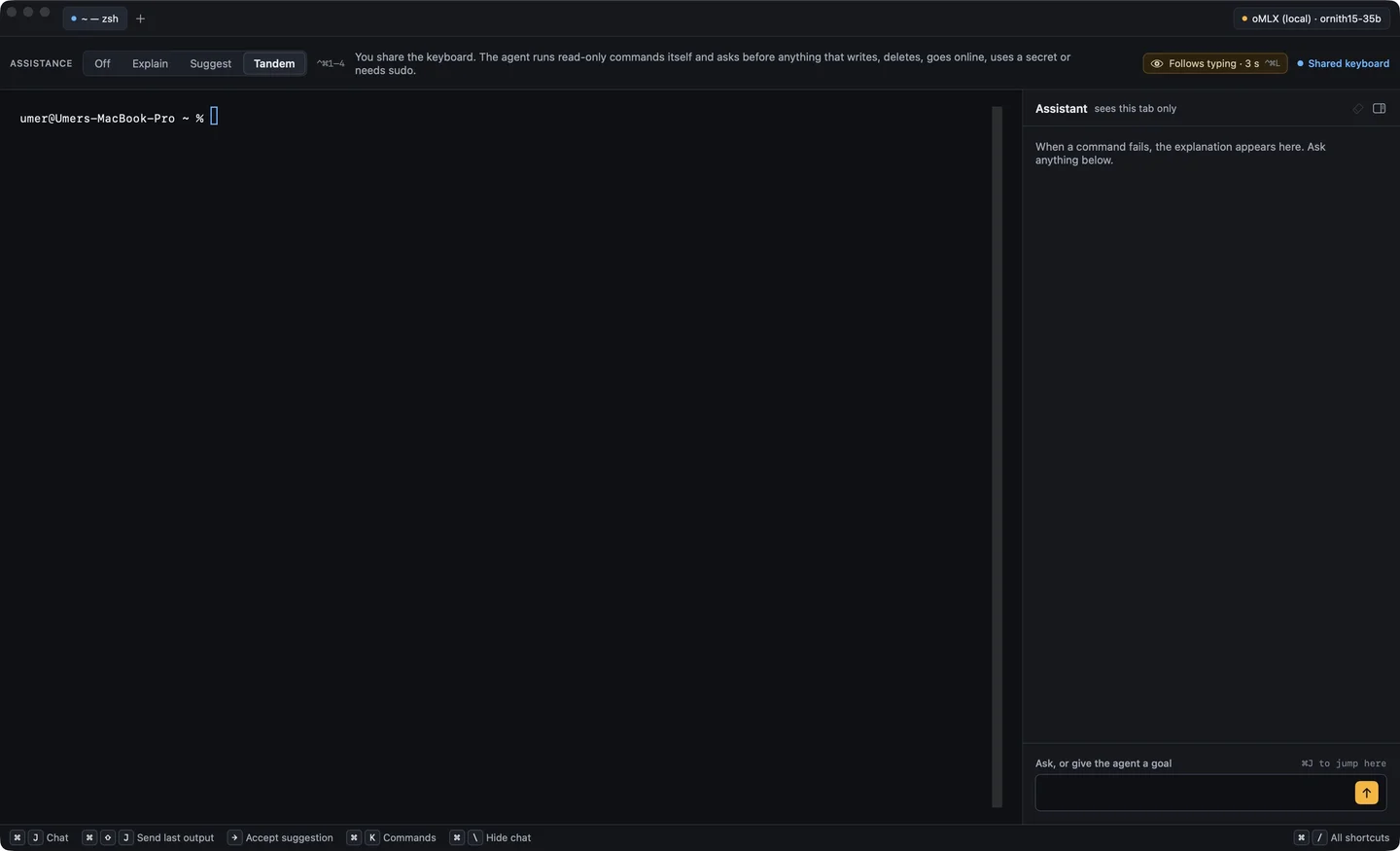
Spotter is a native macOS terminal with an AI assistant built in. You choose how much it helps — from off, to explaining errors, to suggesting the next command, to sharing the keyboard and asking before anything risky. It uses secret references and approval boundaries to keep sensitive operations explicit.
AI contribution: AI-assisted design, code iteration and test development. How I work with AI
Newcomers get stuck on errors they can't read. Experts lose time to repetitive work. Browser chat tools sit away from the shell and pull everyone toward the mouse. Spotter puts the assistant beside the prompt — and makes how much it does a choice, not a default.
The assistant is asleep and sees nothing. Nothing is sent to a model.
Explains output and failed commands in plain language, right beside the terminal.
Pause, and the next command appears in your prompt in the agent color. → accepts it; nothing runs until you press Return.
Runs read-only commands itself and asks first before anything that writes, deletes, goes online, uses a secret or needs sudo.
Least privilege isn't a setting here, it's the design. The assistant gets redacted text, refers to credentials only by name, and can only run what its level allows.
Every byte of terminal content passes through a redactor before any model sees it. Lines that start with a space are never sent at all.
Passwords, SSH keys and API keys live in the macOS Keychain. The model writes {{secret:name}}, Spotter fills it in at Return, and Touch ID guards each use.
At Tandem every command is classified first. Anything risky stops at a sheet showing its effect, its network and sudo use, and the secrets it touches. Esc ends the chain.
A line that would put a credential into shell history — or git add a .env or private key — stops at a sheet at every level, even Off. spot history scan finds old ones.
A context badge shows the AWS profile, kube context, Terraform workspace or cloud project. A context tagged prod makes every Tandem command ask first.
Inside ssh, docker exec or kubectl exec, Tandem refuses and says why; it only runs commands on this Mac. Nothing is installed or changed on the server.
Every action has a shortcut or a spot command, so using Spotter quietly builds a keyboard habit. Find and copy mode stay local — nothing they show is sent, logged or stored.
The assistant panel is one way in. The ask and spot commands are the other — scriptable, pipeable, and at home in the same shell.
ask answers on stdout, so the reply can be piped or redirected like any other command. Status lines go to stderr.
pytest -q 2>&1 | ask "why are these failing?"
A walkthrough keeps a short checklist and suggests each next step. It never runs a command — you type and run every one.
spot goal "serve this folder over HTTP"
DeepSeek, Ollama Cloud, OpenAI, Gemini, OpenRouter, Mistral, Groq, xAI, any OpenAI-compatible endpoint, or a local model. Keys go straight to the Keychain.
spot key add deepseek
Lists history lines that look like credentials — by line number and kind, never the value — and removes them after you confirm in the app.
spot history scan
Spotter is a solo project run like a team one: a written PRD, a decision log, milestone acceptance checks, and a review gate before anything touching secrets or remote access merges.
All logic lives in SpotterCore, a Swift 6 library with no UI imports, shared by the SwiftUI app, the spot CLI and the iOS companion. The app targets stay thin.
1,700+ unit tests, plus Python harnesses that drive a real zsh over a PTY to prove the run channel, secret substitution and the leak guard end to end.
The iOS companion pairs once by QR code over mutual TLS 1.3 with both certificates pinned. Off by default, LAN or Tailscale only, and every frame masks Vault values.
Built with a team of AI coding agents on a shared board. Each security-critical milestone gets an adversarial review by a second model before it ships.
No network calls except to the model provider you chose. Logs never hold prompts, output or replies unless you turn on debug logging for the session.
SwiftUI with AppKit where it must, SwiftTerm for the terminal, your own zsh config. Built-in themes checked for 4.5:1 contrast; user themes are too.
Each milestone has written acceptance checks and a live demo pass in the release app. Next up: the iPhone and iPad gain approvals with Face ID, then typing.
The repository is private while Spotter is in active development. If you'd like a live walkthrough, or want to talk about AI tooling with guardrails, email me.